
Online sales: put artworks on sale
The shop shows the artworks that have at least one edition sent to Online sales, for sale and available. There is nothing else to do: as soon as an edition is put on sale it appears in the shop; as soon as it is sold, reserved or withdrawn, it disappears (or shows as sold, if you set it up that way).
In the artworks list, the ones in Online sales carry the shop label.
There are two ways to put artworks on sale, and the difference is the price.
With a price: «Sell online» (recommended)
This way buyers can buy the artwork from the website.
- Go to the Artworks list and tick the artwork or artworks you want to sell.
- Open Integrations → Online sales → Configurate... The Sell online window opens.
- The window shows each artwork with all its editions. Tick the editions you want to sell and choose the price of each one in the drop-down (it lists the prices the edition has in ITGallery).
- Click Save changes.
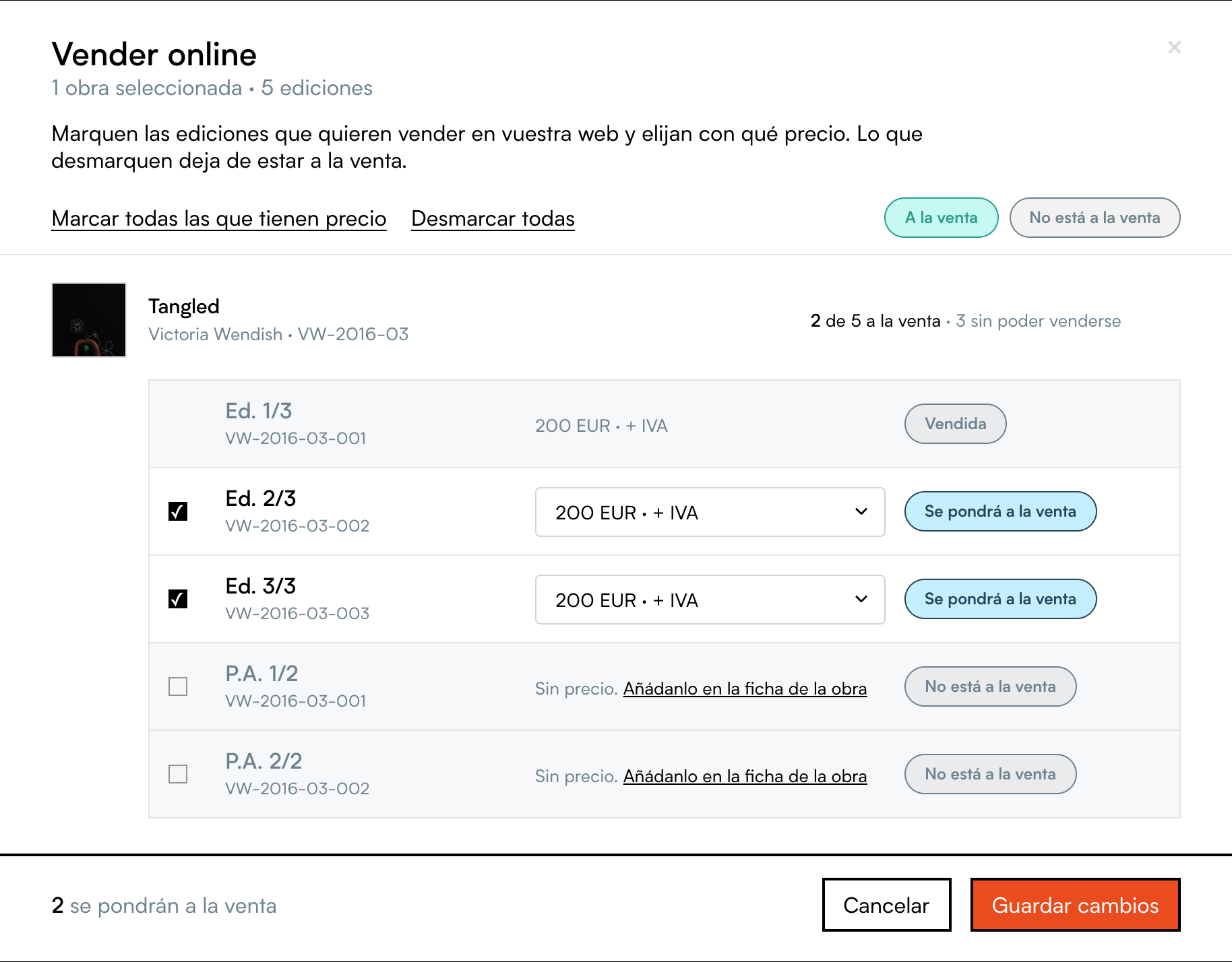
To change the price of an edition already on sale, open Configurate... again and choose another price. To withdraw it, untick it and click Save changes. You can also do it in the Online sales tab of the artwork page.
Important: the price must be in the gallery's currency. If you choose a price in another currency, the artwork shows in the shop with the «Enquire» button instead of «Add to basket».
Without a price: «Global selling» (artworks show with «Enquire»)
If you prefer not to publish the price of some artworks, or want to send many at once:
- Tick the artworks in the Artworks list.
- Open Integrations → Global selling → Publish artworks.
Artworks sent this way show in the shop without a price and with the «Enquire» button. When you want them to be purchasable, give them a price with Configurate... as explained above. To withdraw them: Global selling → Remove artworks.
«Enquire»
On artworks without a price (or on all of them, if you turn off purchase with a cart) buyers see «Enquire». It opens a form with the artwork, the buyer's contact details and a message. When it is sent:
- You receive an email («Enquiry from Online sales») with the enquiry, the artwork and the buyer's details. You can reply directly: the reply goes to the buyer.
- The buyer is saved in Contacts (source «Online sales») with an interest in the artwork.
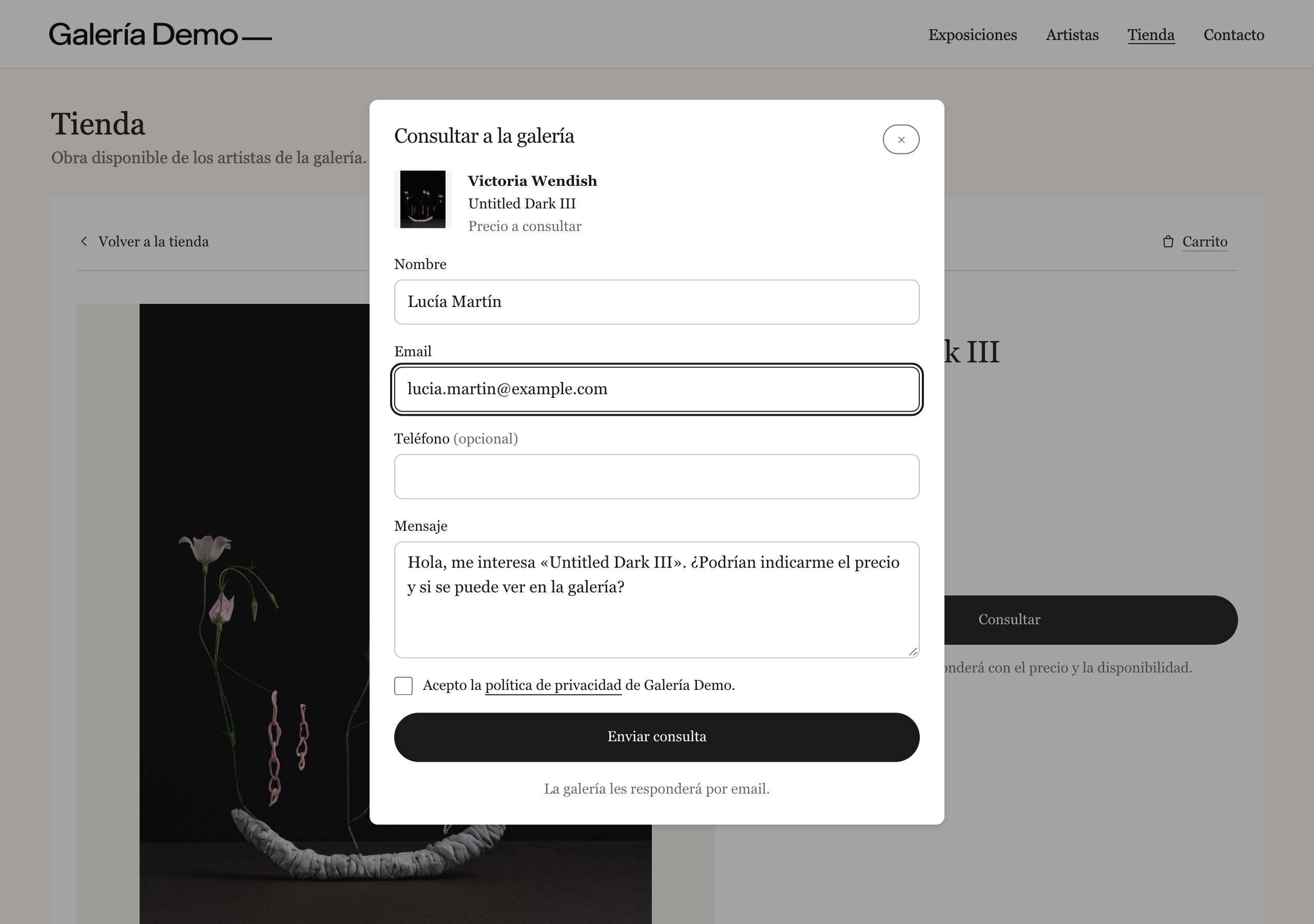
You can remove the button in the Online sales Sales section («Enquire» button on artworks) and change the button text in Texts.
Which artworks are not shown
An edition is not shown in the shop, even if it is in Online sales, if:
- it is sold, reserved, on loan or not available;
- the artwork or the artist is archived or deleted;
- the edition is on sale through another gallery's integration (if you share artworks, each gallery puts its own on sale).
If an artwork has several editions on sale, it appears once in the listing («From €120») and buyers choose the edition on the artwork page.
Next: Add the shop to your website.