
Online sales: what it is and what you need
With Online sales, the artworks you have for sale in ITGallery appear on your own website as a shop: a listing with filters, a page for each artwork with its images and editions, a cart and card payment. Buyers pay into your Stripe account and the sale reaches ITGallery as a draft, with the buyer as a contact and the artworks marked as sold. You then add packaging, shipping and taxes, charge the rest and issue the invoice, as with any other sale.
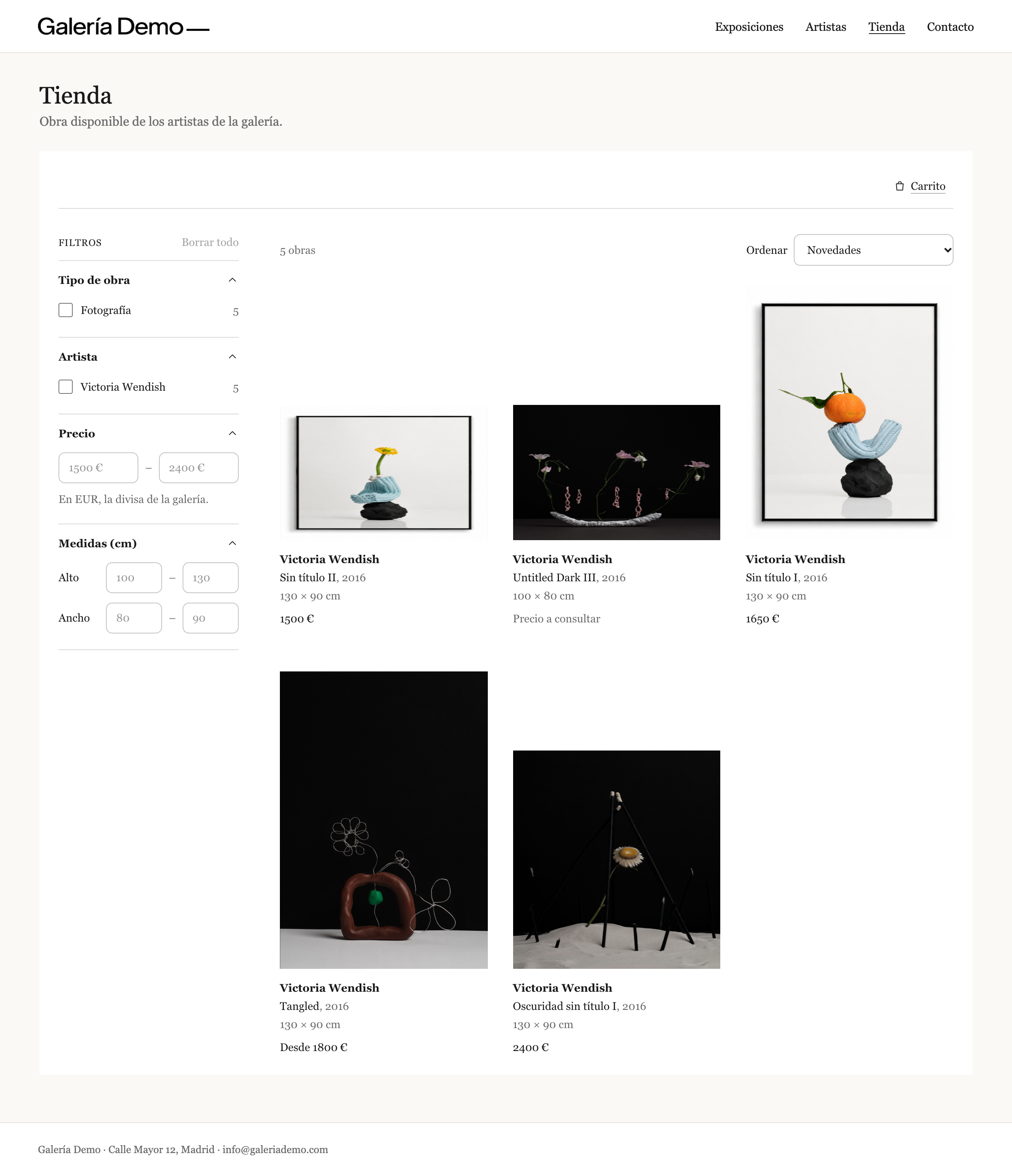
You don't need WooCommerce or a new website: the shop is added with two lines of code (or a shortcode in WordPress) and uses your website's font. Artworks, prices and orders are always managed in ITGallery.
What buyers see
- The listing of the artworks for sale, with the artist, title, year, dimensions and price of each one, filters by type of artwork, artist, price and dimensions, sorted by newest, price or artist.
- The artwork page, with the images, the details and, if there are several editions, the price and availability of each one.
- The cart and checkout: buyer details, billing and shipping address, the notice that packaging, shipping and taxes are charged separately, and the acceptance of your terms of sale and privacy policy.
- Payment on Stripe's secure page. Back on your website, a thank-you page and a confirmation email with the order number.
- «Enquire» on artworks without a price: buyers write to you from the artwork page, the enquiry reaches your email and the buyer is saved in ITGallery as a contact interested in the artwork.
The shop is available in 8 languages (Spanish, English, French, German, Italian, Portuguese, Brazilian Portuguese and Dutch) and can show prices in other currencies as a guide. Payment is always taken in the gallery's currency.
Buyers don't see the ITGallery name or the name «Online sales»: to them it is your website's shop, and the purchase is an online purchase.
What you need
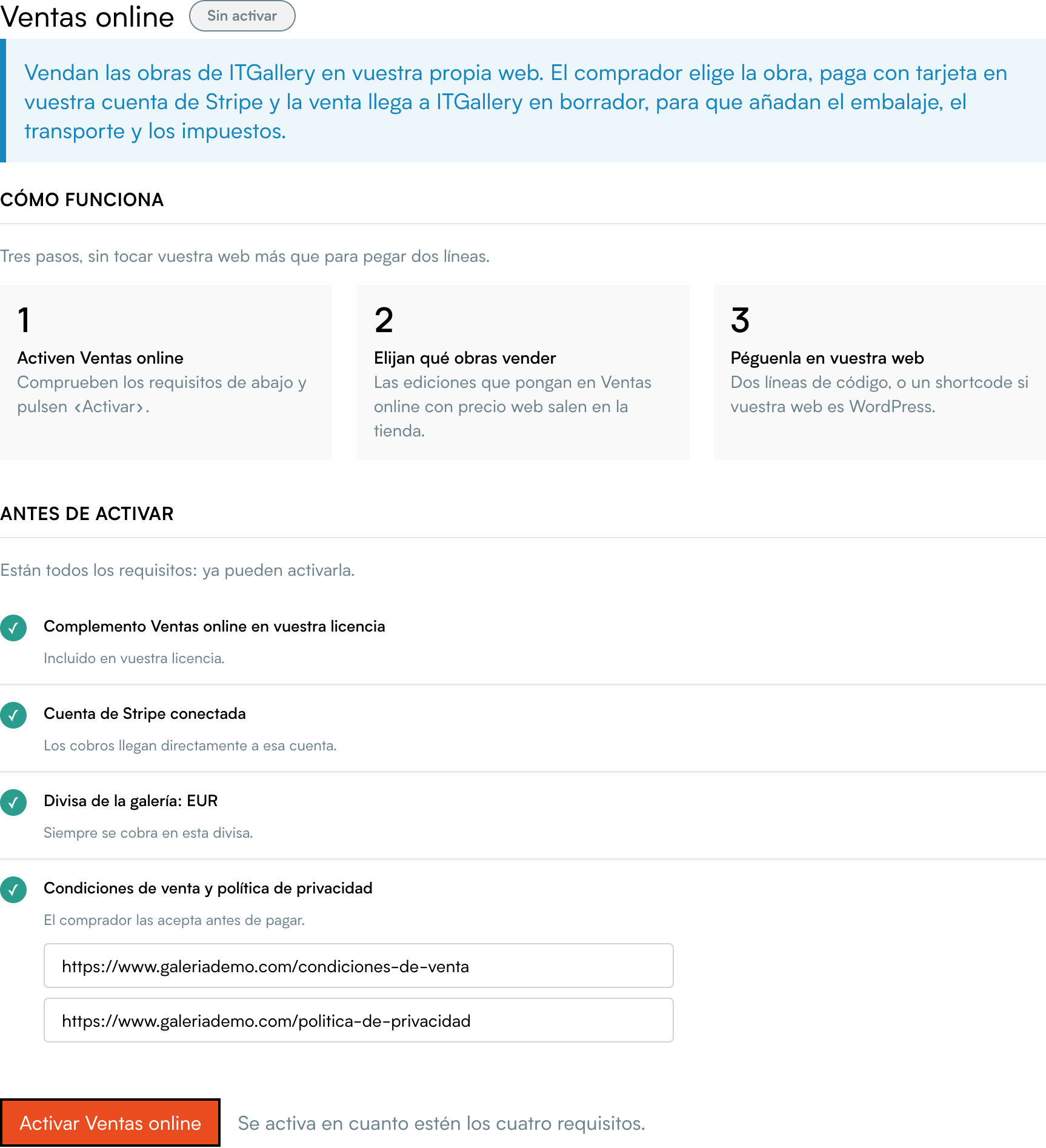
The Online sales screen tells you what is missing before you activate it. There are four requirements:
- The Online sales add-on in your licence. If you don't have it, write to support. Once added, log out of ITGallery and log in again to see it; the shop may take a few more minutes to start working.
- A Stripe account connected to ITGallery (My gallery → Integrations → Stripe). Payments go straight into that account.
- The gallery's currency. Shop prices are in that currency.
- Your terms of sale and privacy policy. Enter the address of each page on the same screen. Buyers accept them before paying, so both pages must exist on your website and start with
https://.
Important: the price buyers see is the web price you set for each edition in Online sales, in the gallery's currency. For a private buyer, that price must include taxes. Which tax scheme applies to you (standard VAT or the margin scheme) is for your accountant to decide.