Set up online sales for a showroom and the public view
Online sales are set up in the Online sales section:
- of each showroom: Showrooms › edit the showroom, at the end of the form, after «Artwork Setup»;
- of the gallery's public view: My gallery › Configuration › Public view configuration, at the bottom of the page.
The public view sells like any other showroom, with the same options. The only difference is that it has no artwork count, because it sells all the gallery's artworks.
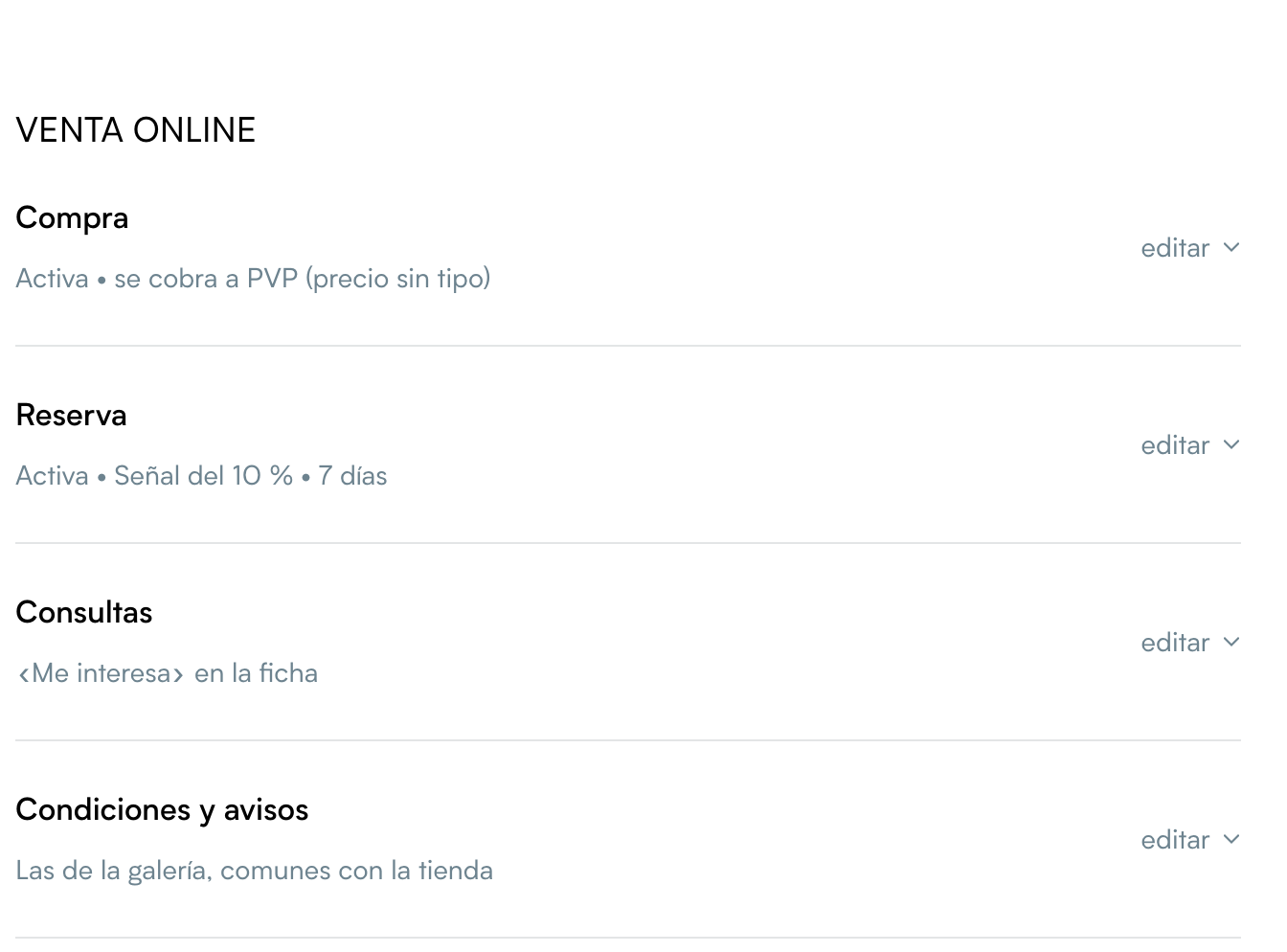
The section has four rows: Purchase, Reservation, Inquiries and Terms and notices.
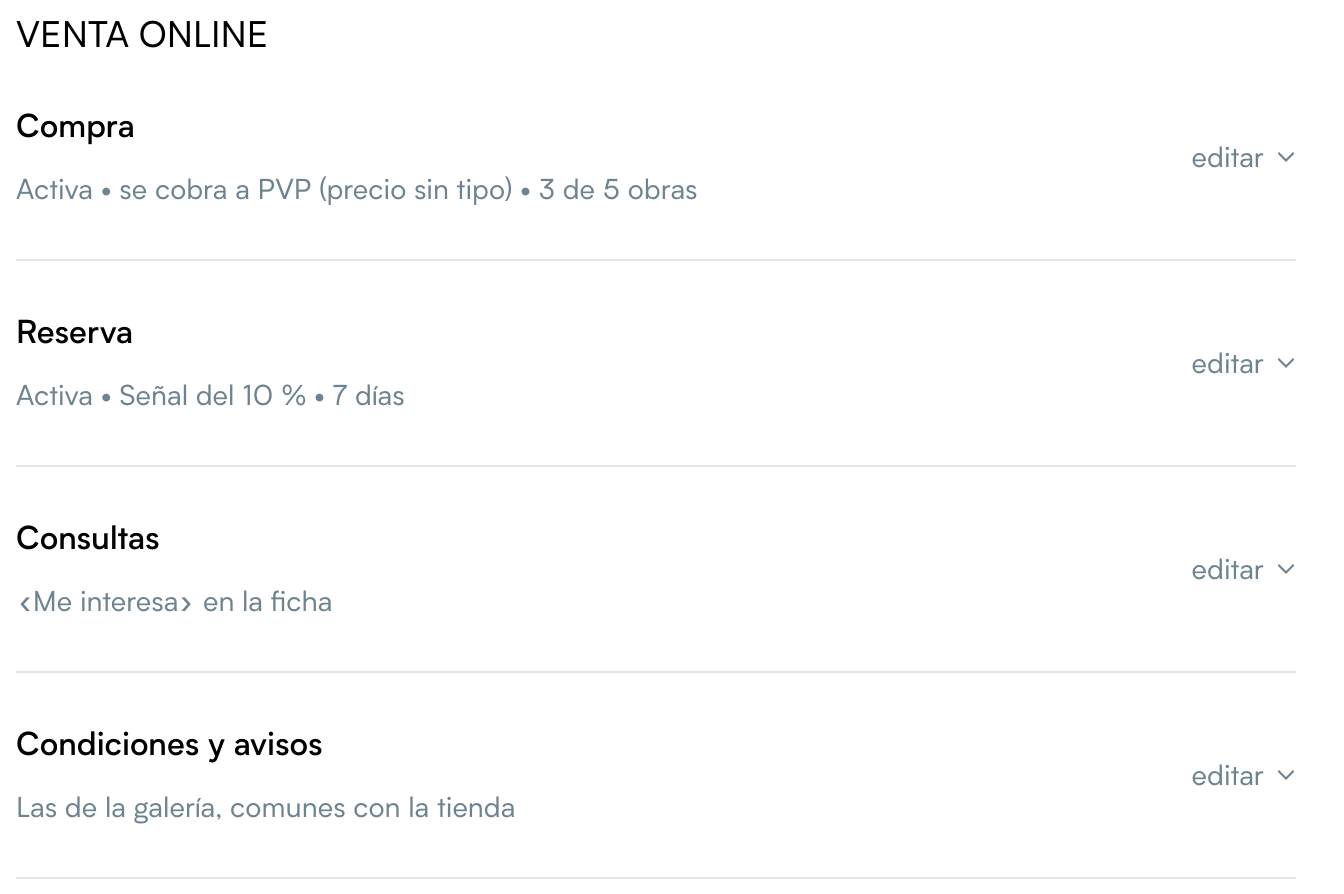
- Each row shows a summary of its settings (for example, «On • charged at Retail price (no type) • 3 of 5 artworks»).
- Click edit to open it.
- Changes are saved with the rest of the showroom, with the usual save button.
If something is missing to sell
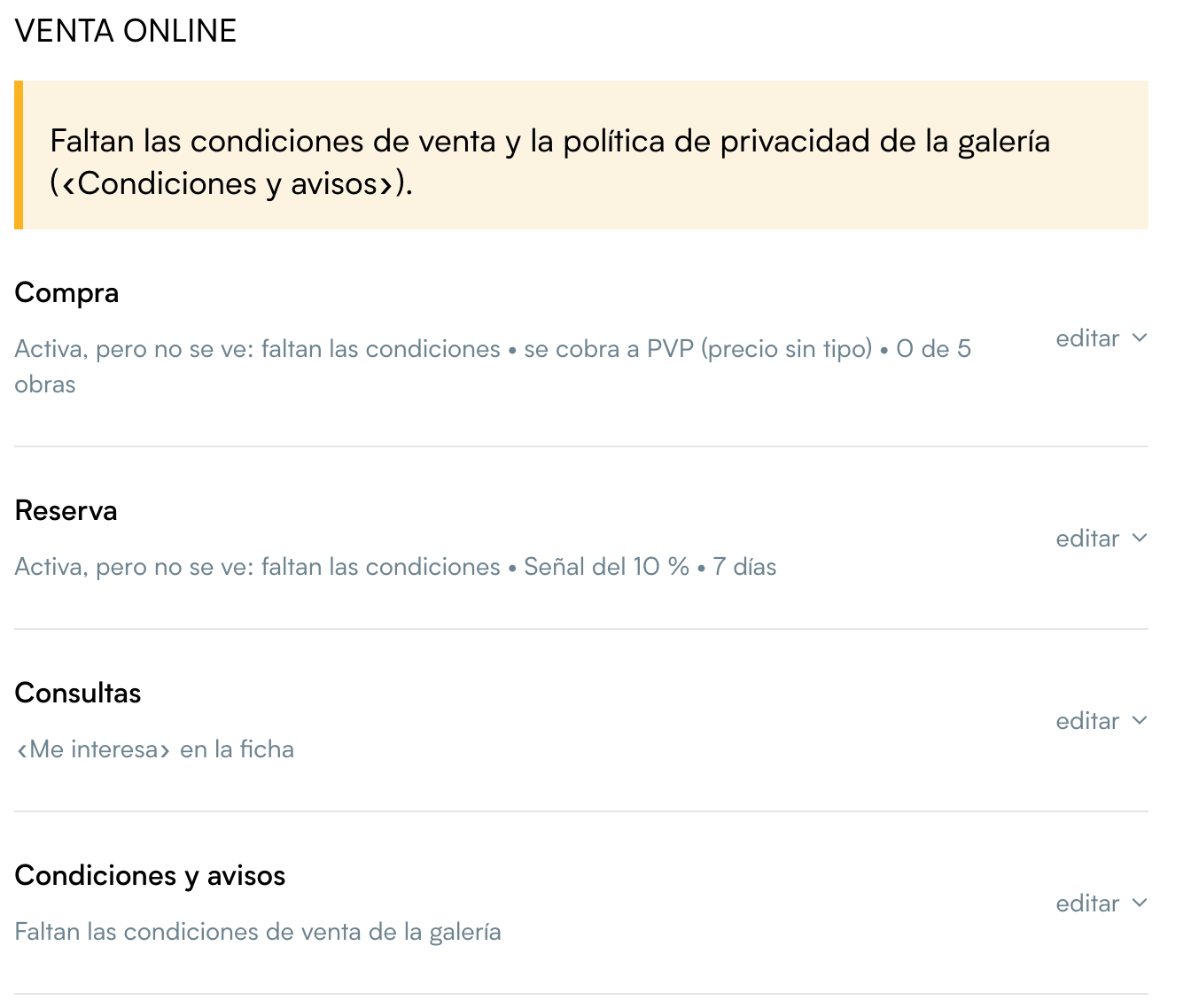
If purchase or reservation is on and something needed is missing (Stripe, prices shown or the gallery's terms), a yellow notice at the top of the section lists what is missing, and that row's summary says «On, but not shown: …». Until you fix it, visitors do not see that button. See what you need.
Purchase
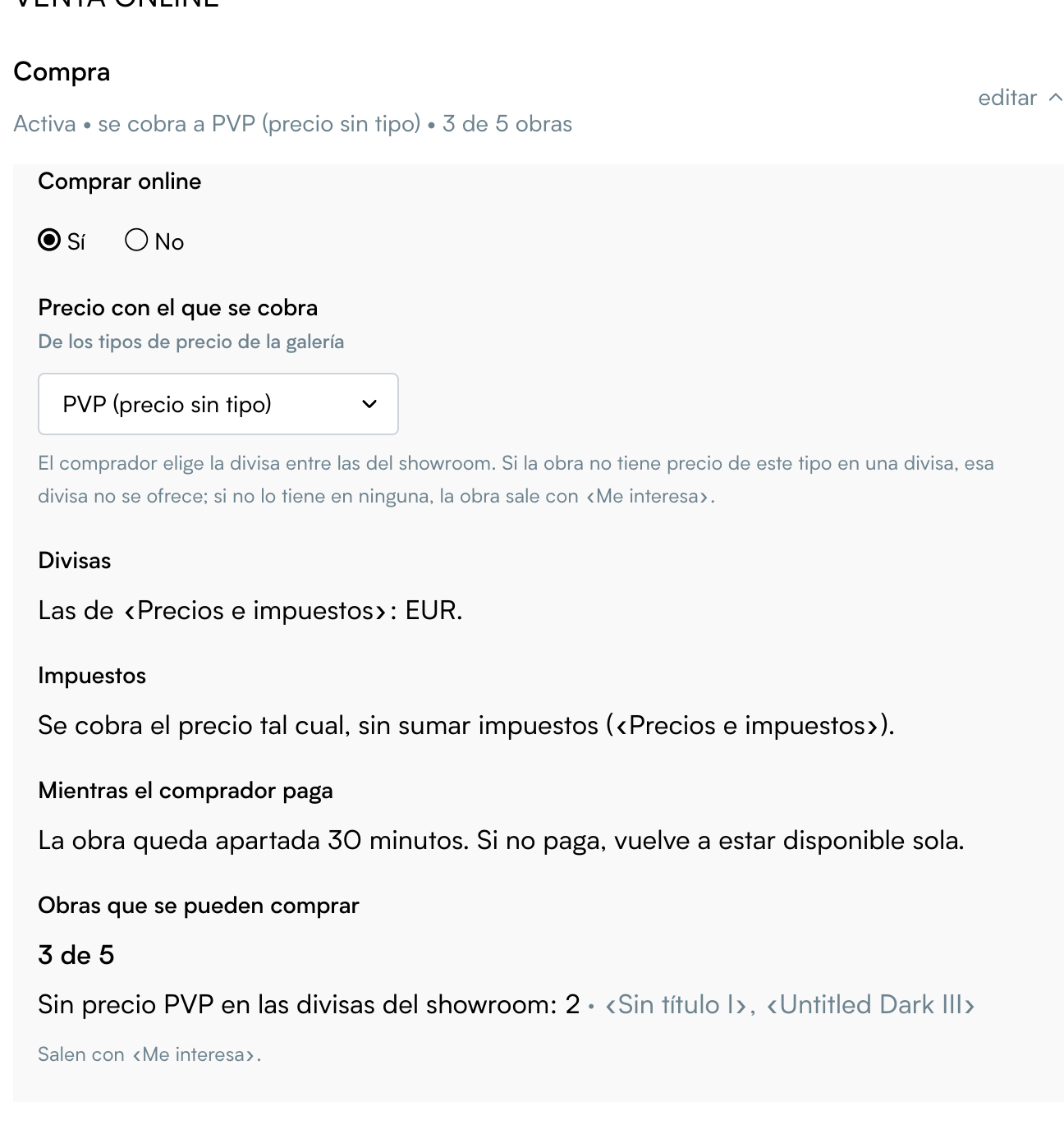
- Buy online: Yes or No. With Yes, the other purchase settings are shown.
- It cannot be turned on without Stripe.
- If it was already on, it is kept when saving, but it does not work until you connect Stripe.
- Price charged: the gallery price type used to sell (Retail price (no type) by default). The buyer sees the showroom's other prices, but pays this one.
- If an artwork has no price of this type in a currency, that currency is not offered.
- If it has none at all, the artwork shows «I'm interested».
- Currencies: those set in the showroom's «Prices and taxes». The buyer chooses one and is charged in it.
- Taxes: if the showroom shows prices with taxes («Prices and taxes»), the price with taxes is charged. For example, with 21 % VAT, an artwork of 1,000 is charged at 1,210, and the sale is created with the 1,000 base and the tax broken down. Otherwise, the price is charged as it is.
- While the buyer pays: the artwork is held for 30 minutes. If the buyer does not pay, it becomes available again on its own.
- Artworks that can be bought: how many of the showroom's artworks can be bought right now (for example, «3 of 5») and, for the rest, how many and why: sold, reserved (with the end date), withdrawn from sale, no price in the showroom's currencies, or price hidden because of the artwork's status. Those show «I'm interested», if enquiries are on. The same figure is in the row's summary.
Reservation
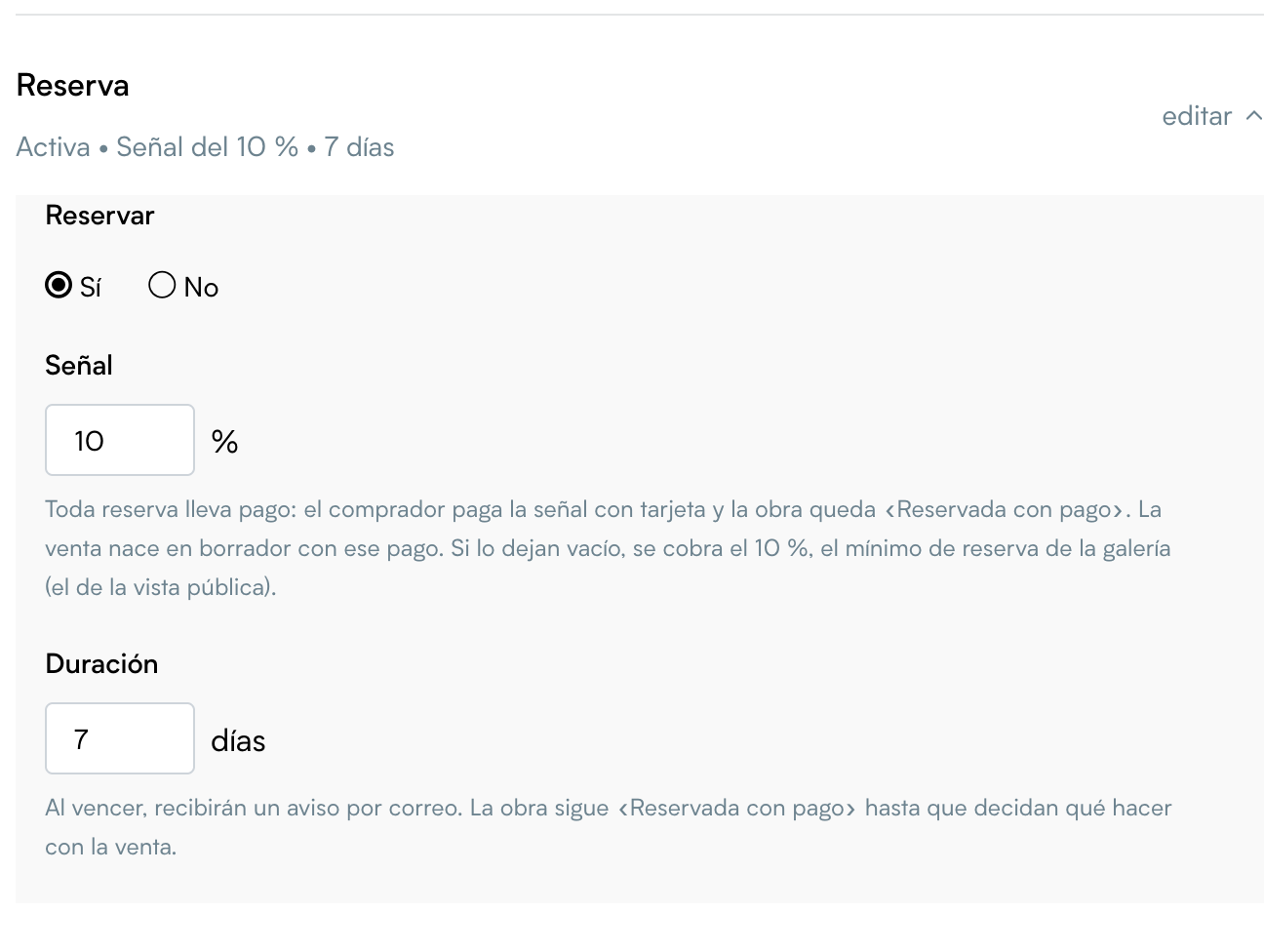
- Reserve: Yes or No. It also needs Stripe.
- Deposit: a reservation always includes a payment. The buyer pays the deposit by card, the artwork becomes «Reserved with payment» and the draft sale is created with that payment. The percentage:
- the one you set in this showroom, from 1 to 100;
- if you leave it empty, the reservation «Deposit» of your public view, which is the gallery's minimum reservation payment (the field shows in grey the figure that would be charged);
- if there is none either, 10 %.
- Duration: how many days the reservation lasts, 7 by default. When it ends, you get an email. The artwork stays «Reserved with payment» until you decide what to do with the sale: see Orders, reservations and sales.
Inquiries
- «I'm interested» button on the artwork page: the visitor writes to you from the artwork page. They can also ask about a sold or reserved artwork.
- Also in the list: the button also appears in the showroom's list of artworks.
- With each inquiry, create an offer with the artwork and its price: each enquiry creates an offer in Offers, in the contact's name, with the artwork and the price it is sold at. If the artwork is not available or has no price, the enquiry still arrives, without an offer.
Each enquiry reaches you by email. The contact is saved in Contacts with Showroom as its origin, as a prospect interested in the artwork and the artist.
Terms and notices
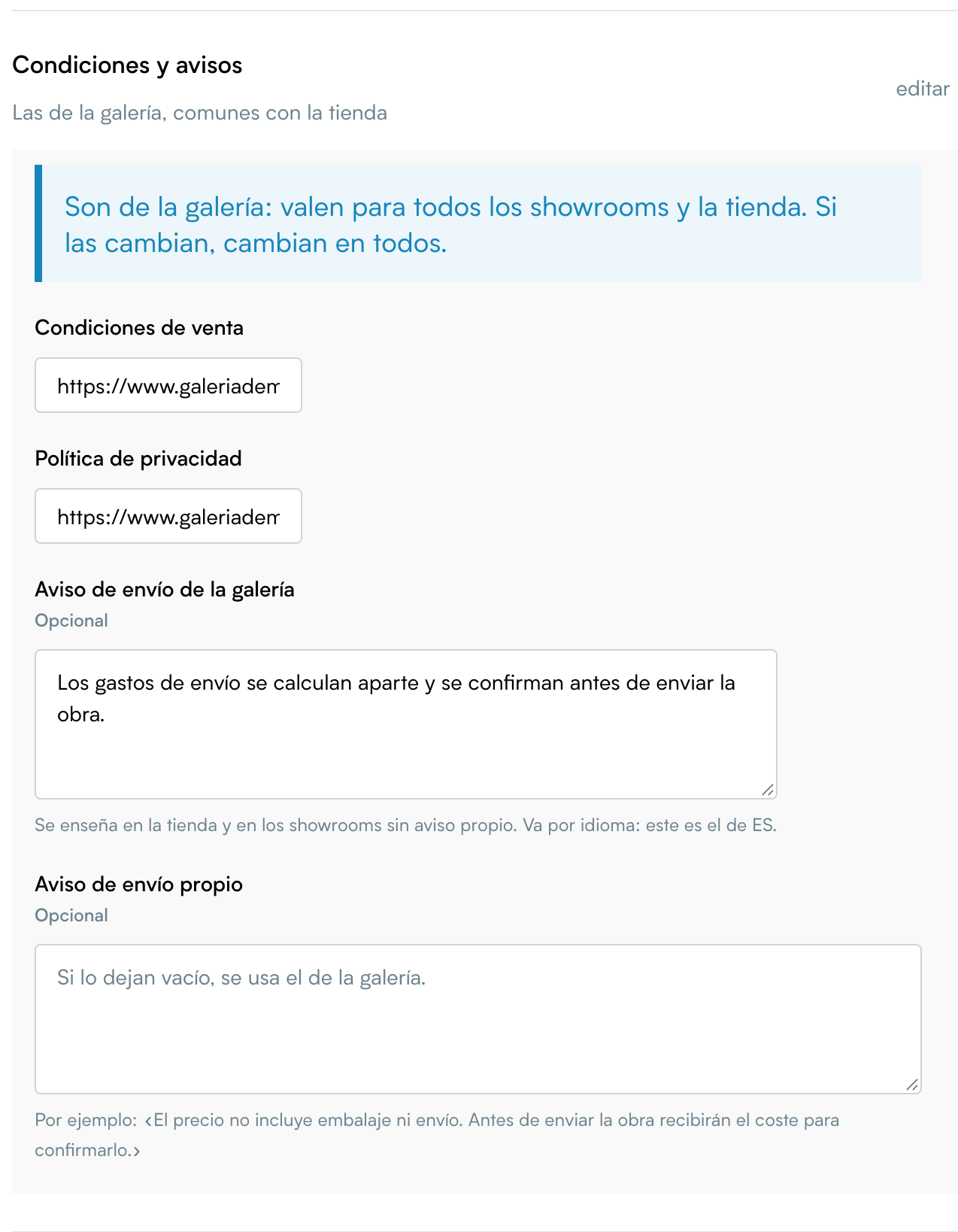
- Terms of sale and Privacy policy: the addresses of those pages on your website, with
https://.- They belong to the gallery: they apply to every showroom, the public view and the shop on your website. If you change them here, they change everywhere.
- The buyer accepts both before paying or reserving.
- While Online sales is active, they cannot be left empty.
- Gallery shipping notice: the text the buyer sees about shipping. For example: «The price does not include packing or shipping. We will write to you with the cost before sending the artwork.»
- It is per language: the one you type is for the language you are editing in.
- The shop on your website uses it, and so do showrooms without their own notice.
- Own shipping notice (optional): only for this showroom. If you leave it empty, the gallery's notice is used.
Public view
In Public view configuration, the section is the same: Purchase, Reservation, Inquiries, and Terms and notices.
- The reservation «Deposit» of the public view is the gallery's minimum reservation payment: showrooms without their own deposit use it too. If you leave it empty, 10 %.
- The terms of sale and the privacy policy are the gallery's, as in showrooms.
- If the public view is turned off, nothing is sold from it.