
Online sales from showrooms: what it is and what you need
With online sales from showrooms, visitors to a showroom or to the gallery's public view can do three things from the artwork page, with a single form and in the showroom's language:
- buy an artwork by card;
- reserve it for a few days by paying a deposit;
- ask the gallery about it.
It is the same engine as Online sales, the shop on your website: the same Stripe payment, the same draft sale and the same emails. That is why showroom orders appear next to the orders from your shop in Sales › Online sales, with a column that shows where they come from. You do not need Online sales: selling from showrooms is still included with «Online sales».
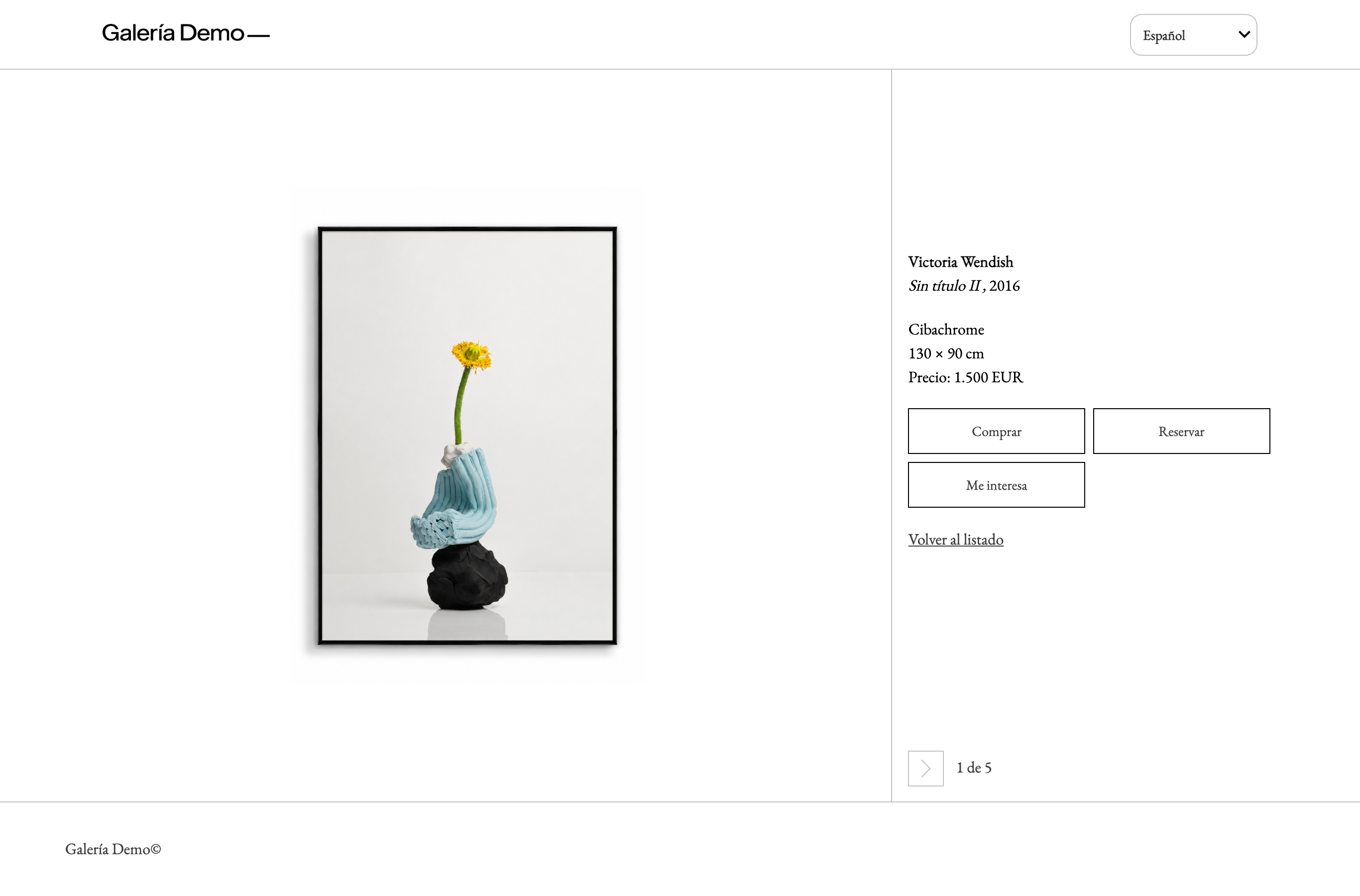
What visitors can do
- Buy: they choose the currency among the showroom's currencies, enter their contact details, choose shipping or collection at the gallery and pay by card on Stripe's secure page.
- The payment goes to your Stripe account.
- ITGallery creates a draft sale with the provisional number
SHW-….
- Reserve: the buyer pays a deposit (a percentage of the price) by card and the artwork becomes «Reserved with payment» in the buyer's name for the days you choose (7 by default). A reservation always includes a deposit.
- I'm interested: the visitor sends you an enquiry about the artwork.
- It reaches your email and the visitor is saved in Contacts as a prospect.
- If you choose, an offer with the artwork and its price is also created.
What you need
Three things are needed to buy or reserve from a showroom. If purchase or reservation is on and one of them is missing, the showroom's Online sales section says so in a yellow notice at the top:
- A Stripe account connected to ITGallery (My Gallery › Integrations › Stripe). Purchases and deposits are charged to it. Without Stripe, buying and reserving are not possible (enquiries still work).
- The gallery's terms of sale and privacy policy. They are the same for every showroom, the public view and the shop on your website.
- You enter them once: in the «Terms and notices» block of any showroom or, if you have Online sales, in its settings.
- Without them, buying and reserving are not possible.
- Prices shown in the showroom («Prices and taxes»). Without visible prices, buying and reserving are not possible, and the artworks show «I'm interested».
To change a showroom's online sales, your user needs the «Online sales» permission. Without it, you can see the section, but only read it.
The same permission is enough to change the gallery's terms of sale and privacy policy, including the ones for the shop: they are the same. While Online sales is active they cannot be left empty. While sales are on, the tax and the currencies in «Prices and taxes» also require «Online sales», because they change the amount charged.
It is turned on gallery by gallery. New galleries have it on from sign-up. For the rest, until the new online sales are active for your gallery, showrooms keep selling as before. The section says so: «Count with the rules of the new online sales, which are not yet active for the gallery». To turn them on, write to support.
What is charged, and in which currency
- What is charged: the artwork price, of the price type you choose (retail price by default).
- The currency: the one the buyer chooses among the showroom's currencies.
- Taxes: if the showroom shows prices with taxes, the buyer pays the price with taxes that they see. The sale is created with the base and the tax broken down.
- Packing, shipping and, where applicable, taxes are charged separately, later. The buyer sees this before paying, and you add them to the draft sale.