
What the buyer sees
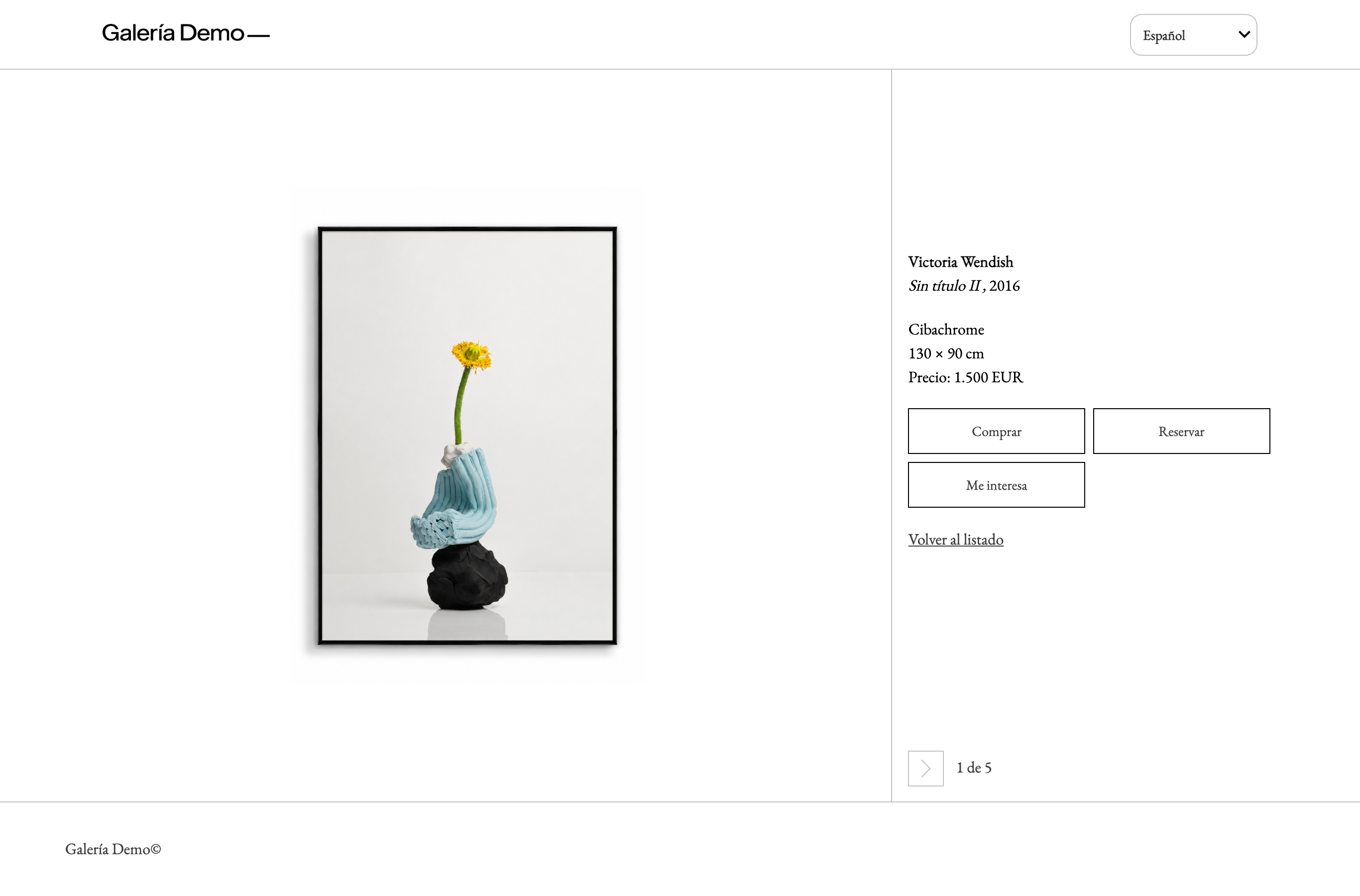
On each artwork page, the buyer sees the buttons that you have turned on and that apply to that artwork:
- Buy;
- Reserve (always with a deposit);
- I'm interested.
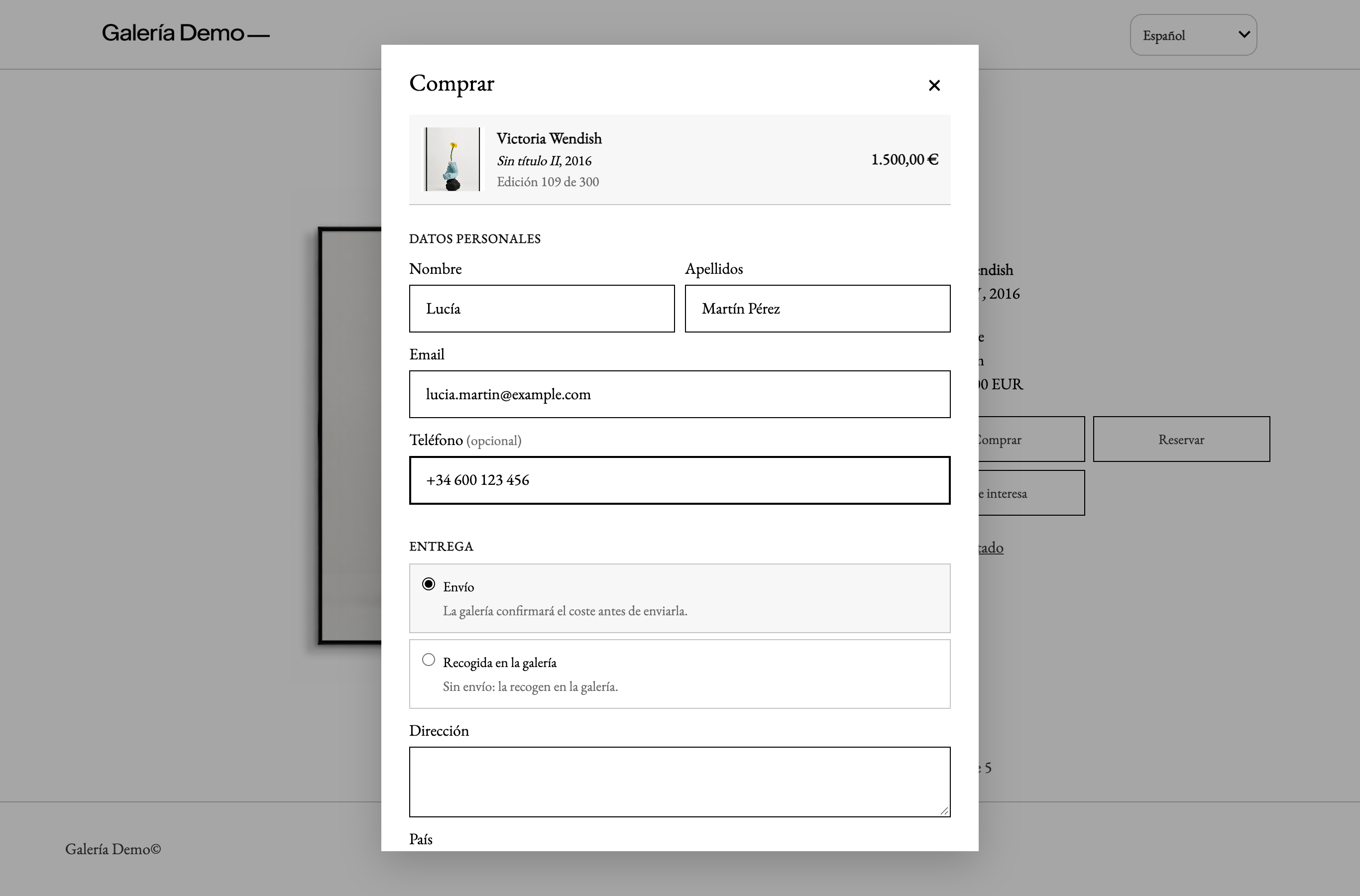
Each one opens the same form in a window over the artwork page (full screen on mobile). It works the same way in all showroom designs and in the public view, with each design's font and colours, and it appears in the showroom's language.
The buyer does not see the ITGallery name when paying: they pay your gallery, into your Stripe account.
Buy
On mobile, the same form takes up the whole screen:
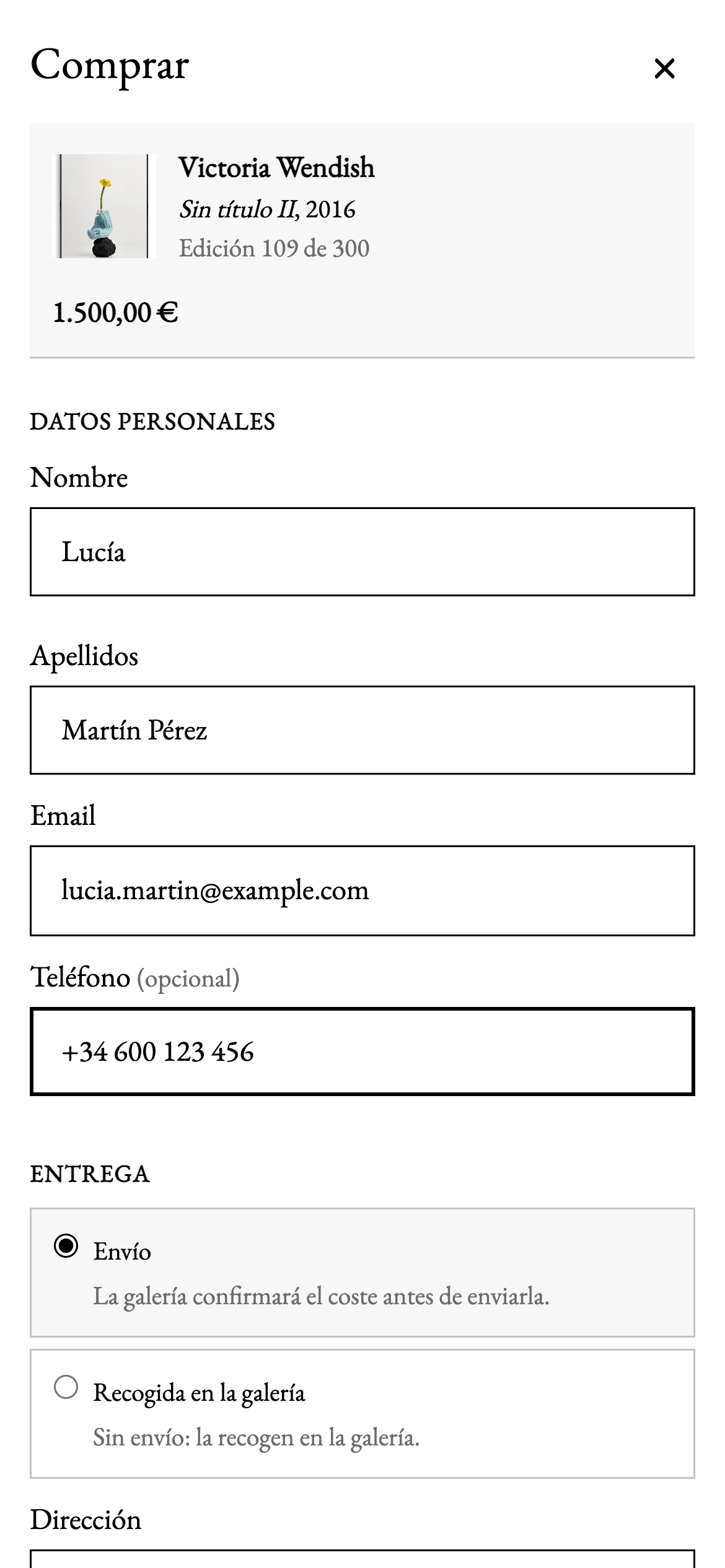
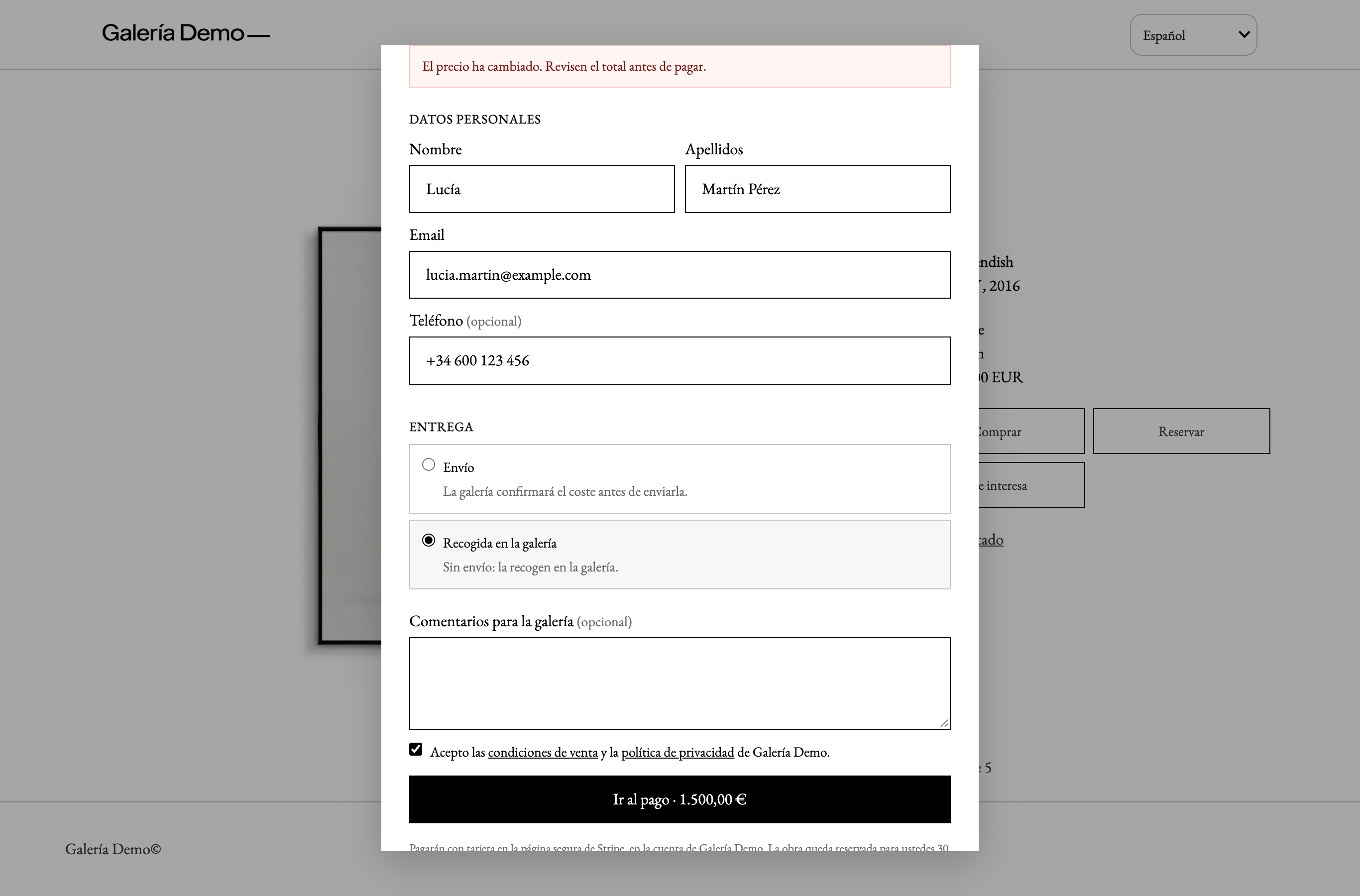
- The artwork and the price, with «Taxes included (21 %)» if the showroom shows prices with taxes.
- Currency: if the showroom has several, the buyer chooses which one to pay in. The amount and the button change with the currency.
- Personal details: first name, surname, email and phone (optional).
- Delivery:
- Shipping («The gallery will confirm the cost before sending it»);
- or Collect at the gallery («No shipping: you collect it at the gallery»).
- Comments for the gallery (optional).
- I accept the terms of sale and the privacy policy of the gallery, with links to both.
- Go to payment · €1,500.00, the main button: the buyer moves to Stripe's secure page. While they pay, the artwork is held for 30 minutes.
Before sending, the form checks the details and marks on each field what is missing or not valid.
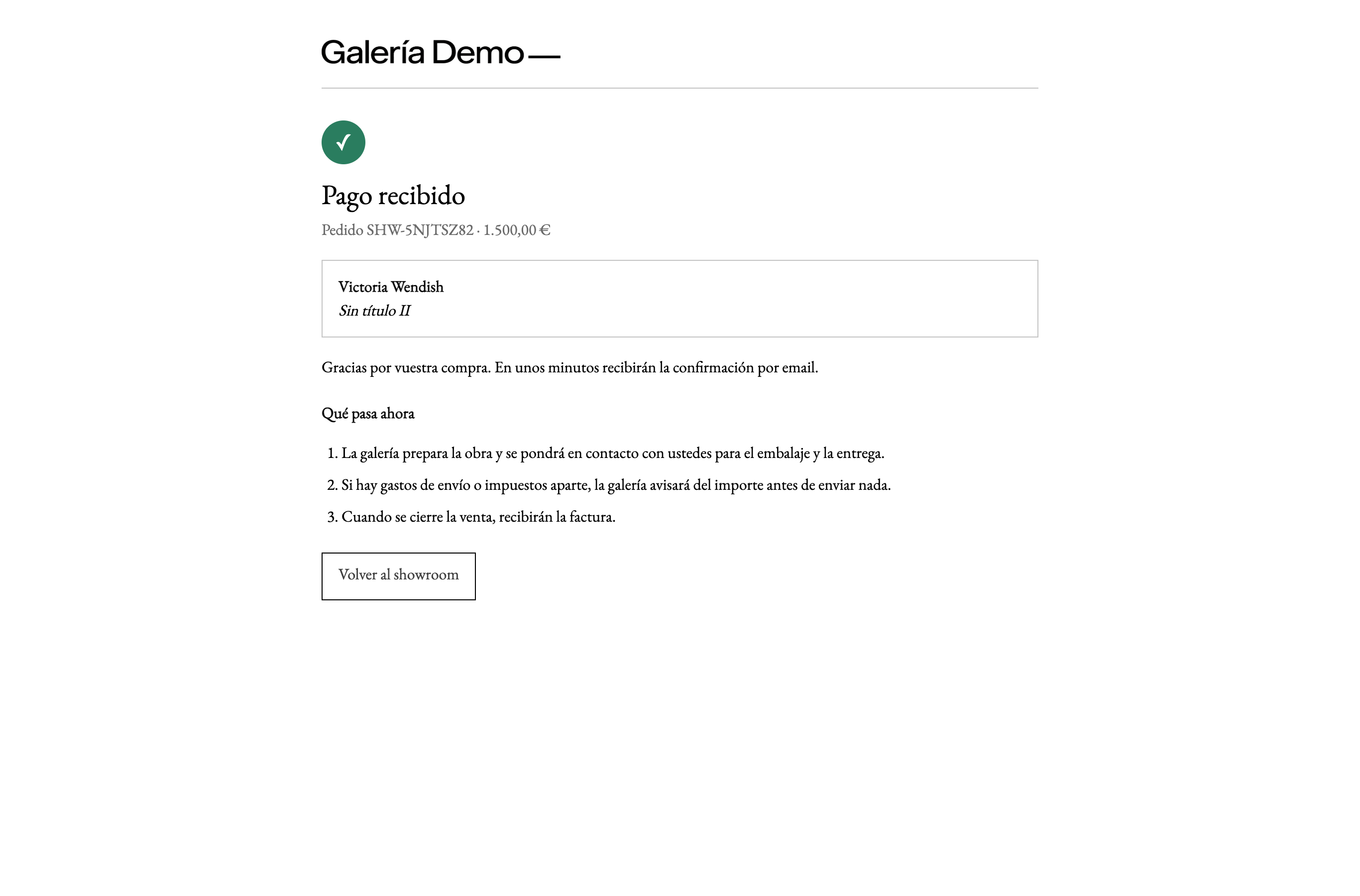
Back from Stripe, the buyer sees the order page, with the SHW-… number and the artwork:
- Payment received, with what happens next: the gallery prepares the artwork, gives the amount of any extra costs before sending anything and sends the invoice once the sale is completed.
- Confirming your payment…, for a few seconds, if the Stripe notification has not arrived yet.
- The payment wasn’t completed, if the buyer cancelled on Stripe. While the artwork is still held, it shows Back to payment.
- The time to pay has run out, if the buyer did not pay in time: the artwork is back on sale and nothing has been charged.
If the price has changed while the buyer had the form open (for example, because you changed it in ITGallery), the form says so and shows the new price before payment. A price coming from the browser is never charged.
Reserve
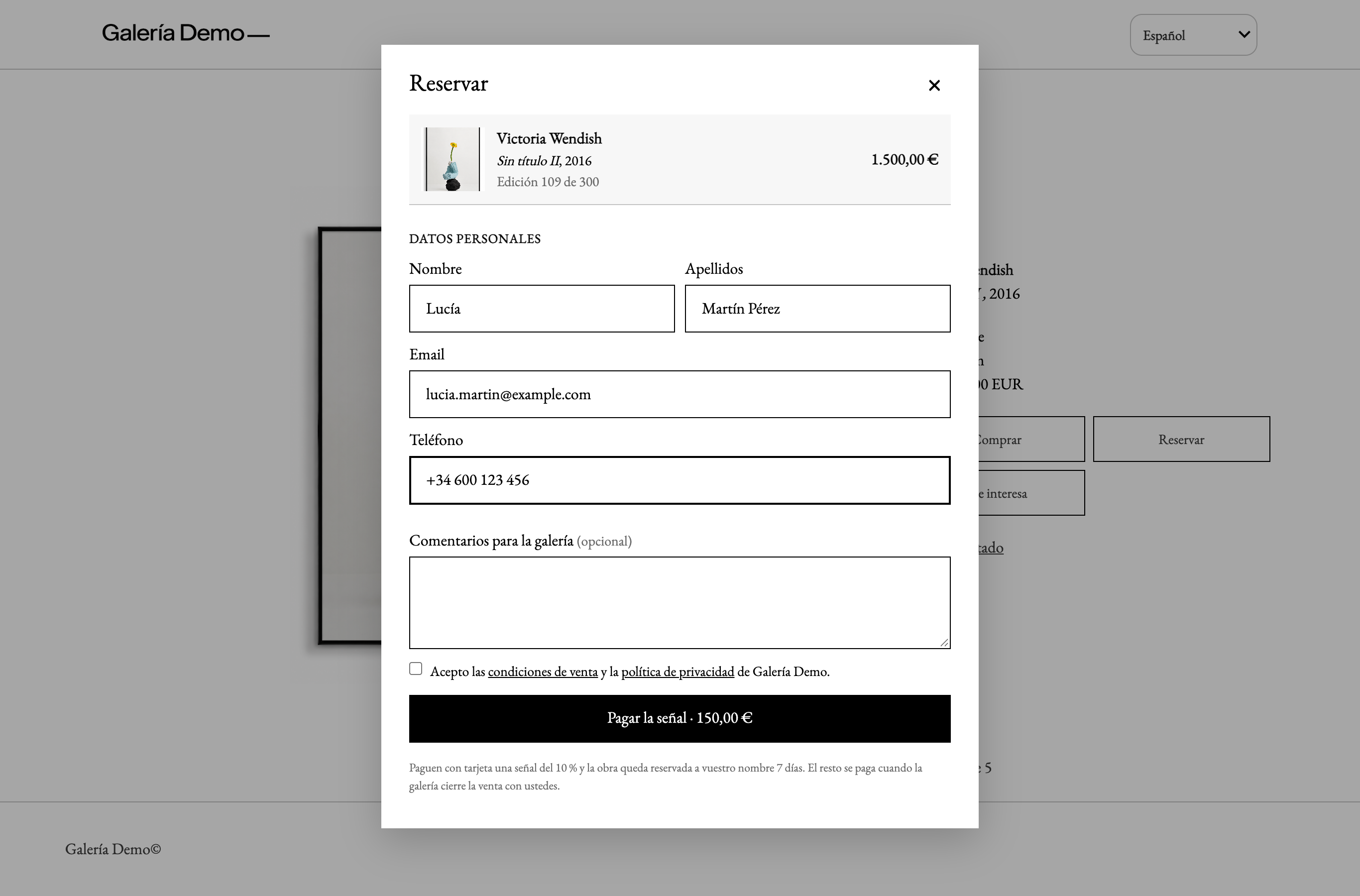
A reservation always includes a payment. The same form, with the button Pay the deposit · €150.00: «Pay a 10 % deposit by card and the artwork is reserved in your name for 7 days. You pay the rest when the gallery completes the sale with you.»
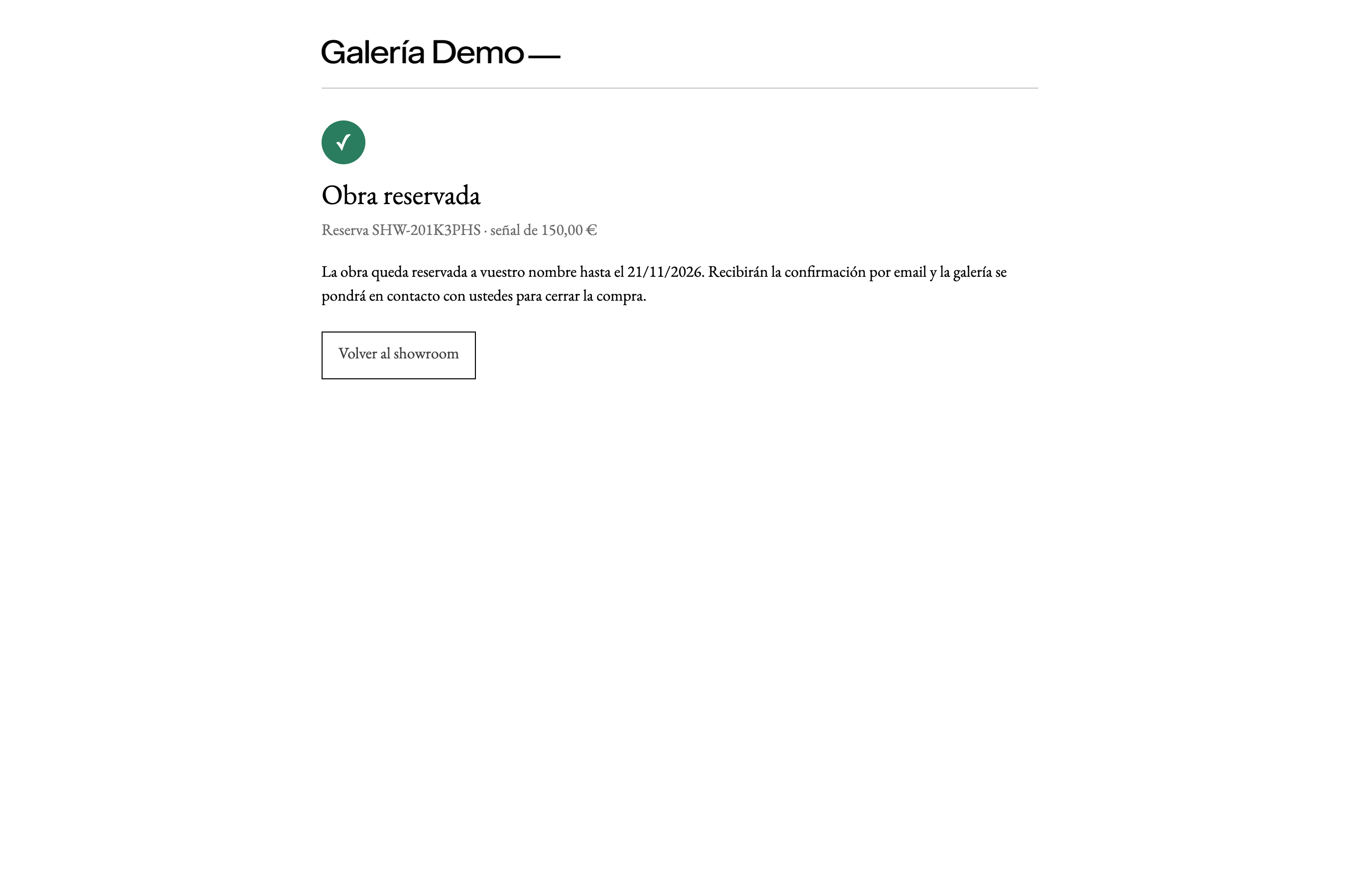
The buyer pays the deposit on Stripe and comes back to the reservation page:
- Artwork reserved, with the deposit paid and the end date.
- Deposit payment pending, if it has not been received yet, with Back to payment. If it is not paid in time, the reservation is cancelled automatically and the artwork goes back on sale.
I'm interested
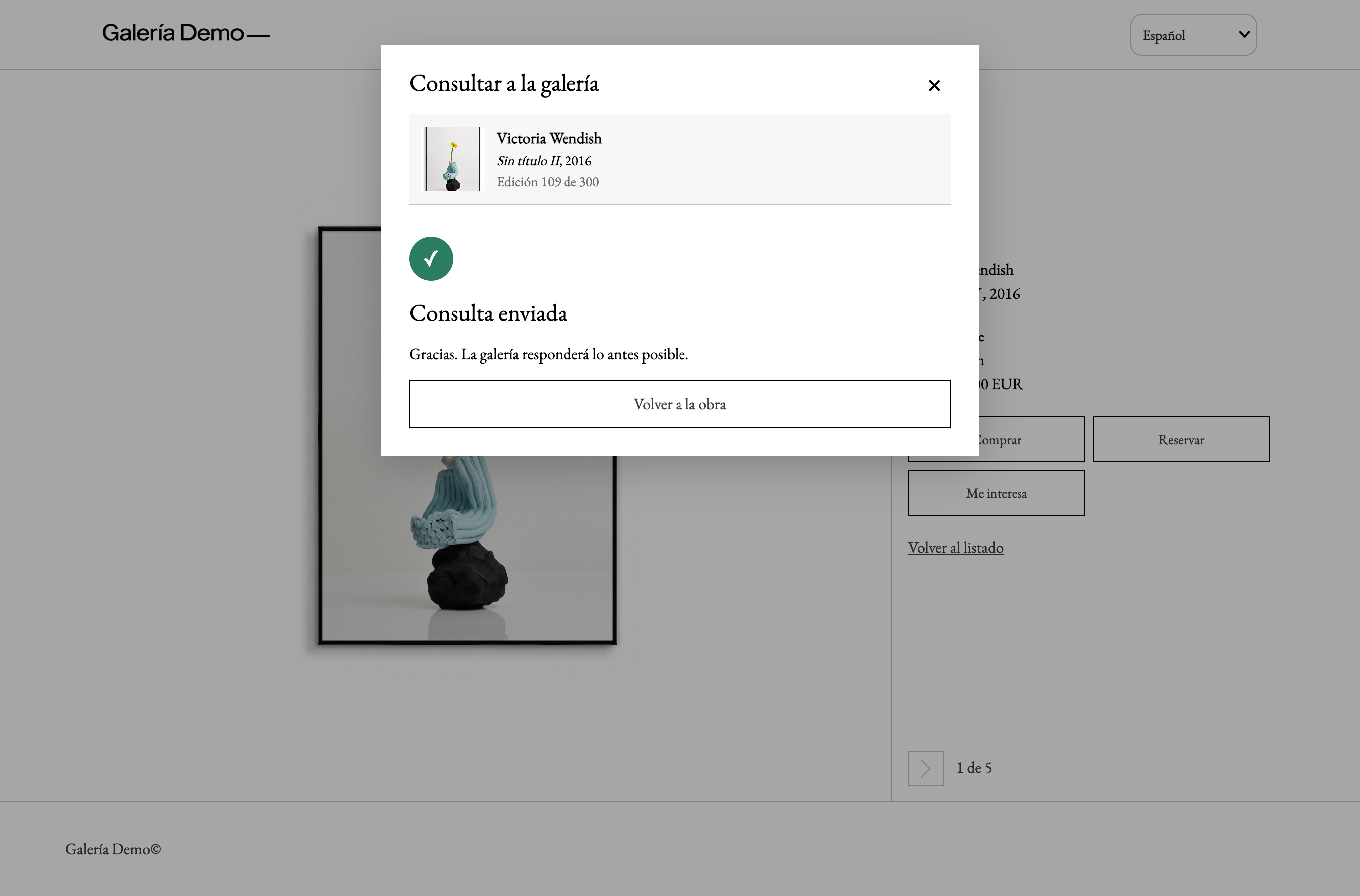
The form comes with a message already written («Hello, I’m interested in “Title”. Could you give me more information?»), which the buyer can change. With Send enquiry, they see Enquiry sent and receive an acknowledgement by email.
Private showrooms
In a password-protected showroom, buying, reserving and asking only work after entering the password. If the session expires with the artwork page open, the form asks the buyer to enter the showroom password again.
If something is not right
- A field is not valid (a mistyped email,
< >signs or quotation marks in the name): the form highlights the field and says what to change.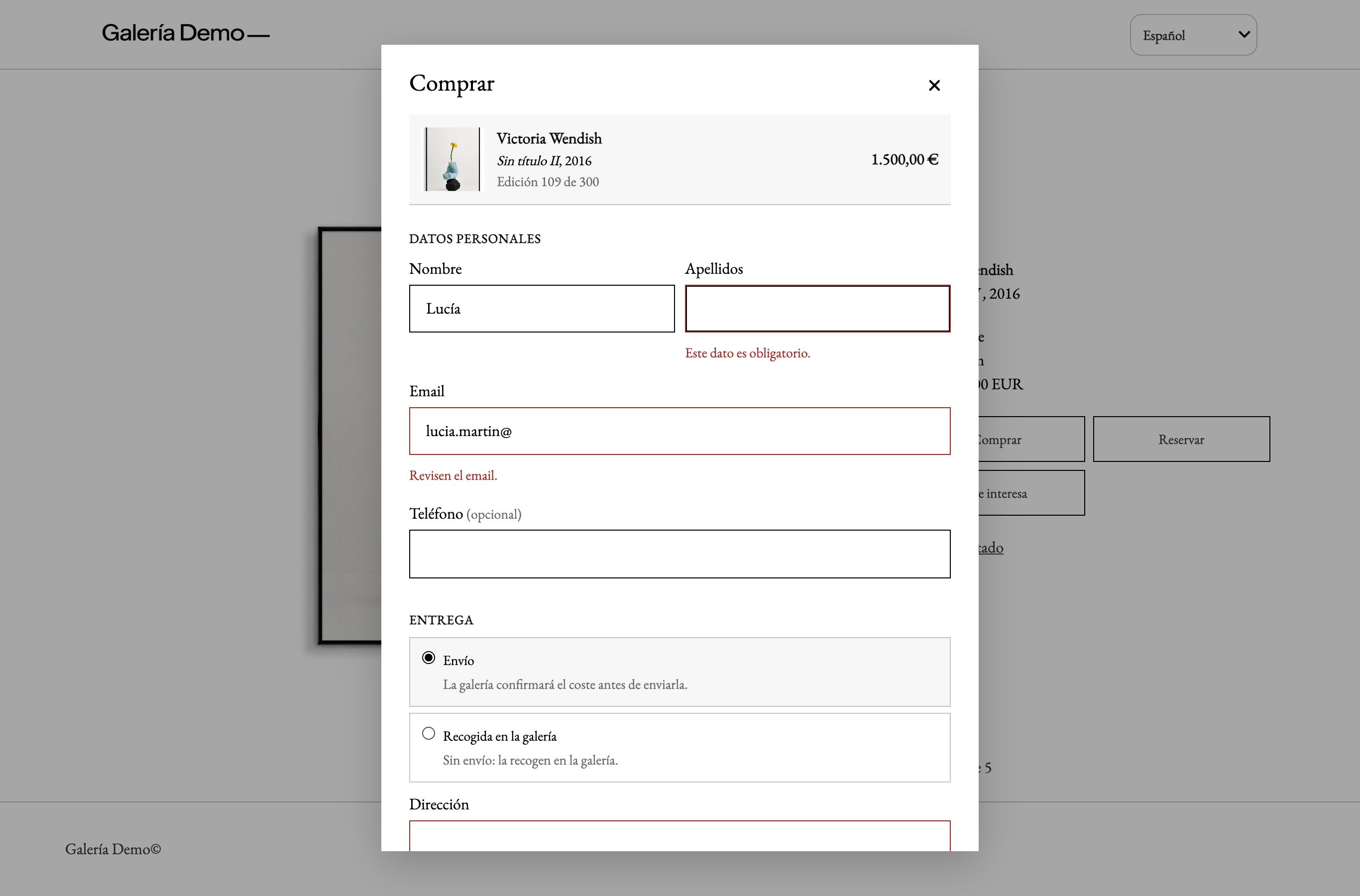
- Too many submissions in a row from the same connection: the form asks the buyer to try again later. This protects you against bots: the forms no longer have reCAPTCHA.
- The artwork is no longer available (someone bought or reserved it in the meantime): the form says so and nothing is charged.
- The gallery changed how buying works while the page was open (for example, you turned off reservations): the form asks the buyer to reload the page.
